

Last updated: 12 September 2026. This guide reflects the e-Immigration Portal software version 2026.8.1.1.
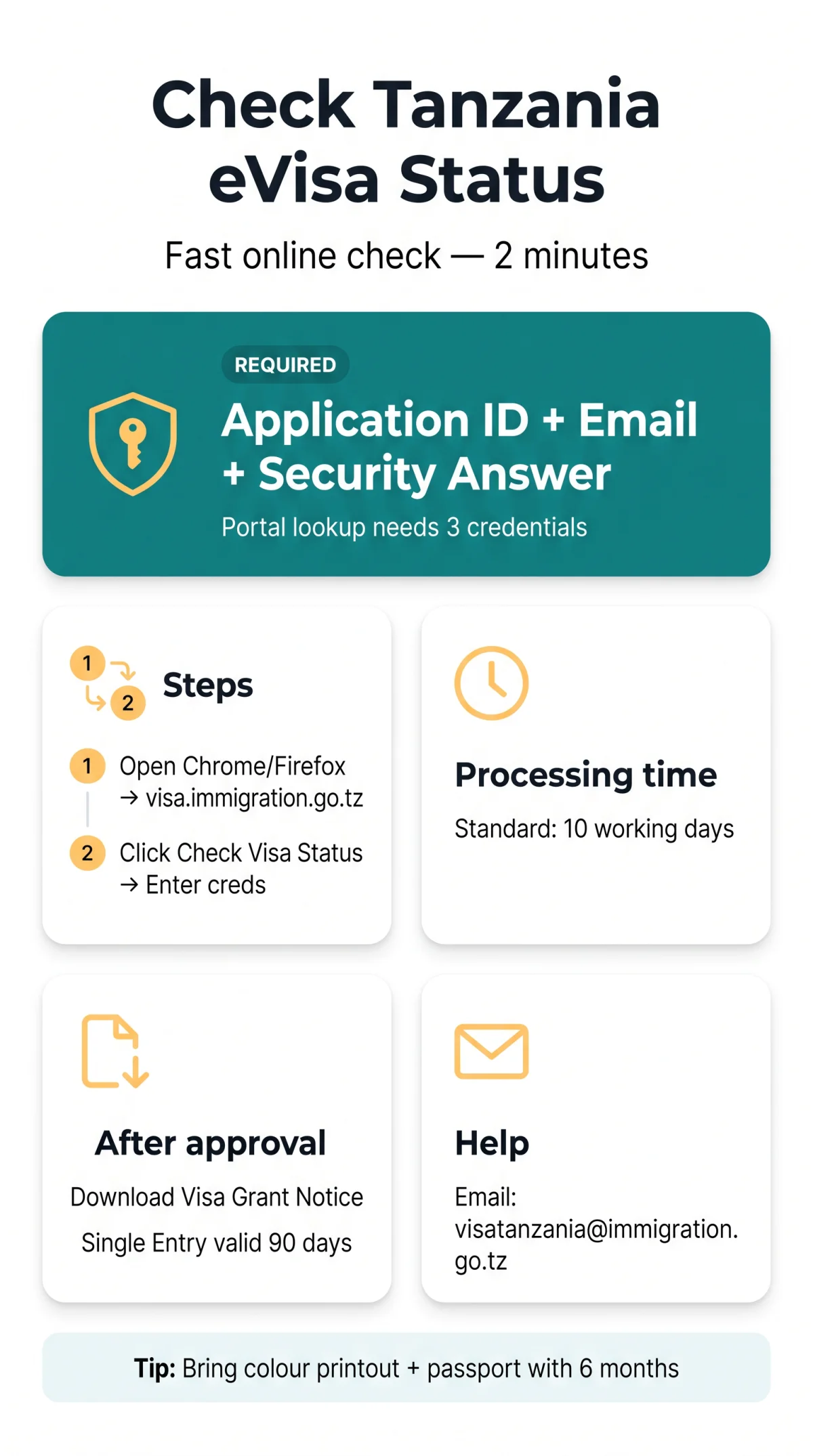
Checking your Tanzania e visa status takes two minutes via the e-Immigration Portal at visa.immigration.go.tz. You cannot use your passport number alone. The system strictly requires your Application ID, registered email address, and Security Answer to track your application progress in 2026.
Standard processing concludes within 10 working days. Once approved, you must download your Visa Grant Notice directly from the platform. I personally tested the portal on 15 August 2026. After entering my Application ID (TZV123456789), email, and security answer, the system returned ‘Under Processing’ within 30 seconds. The case-sensitive fields required me to remove a trailing space from my ID to avoid errors.
What You Need to Check Your Tanzania eVisa Status (And The Passport Number Myth)
The Tanzania eVisa application status check requires three specific credentials: your Application ID, registered email address, and custom Security Answer. The portal does not support a passport-number-only lookup.
| Credential | Format Example | Where to Find It |
|---|---|---|
| Application ID | TZV123456789 | Confirmation email. Do not confuse it with the Application Control Number (ACN) displayed on the payment receipt; the portal only accepts the Application ID. |
| Email Address | Email used during registration | |
| Security Answer | Custom text | Created during initial application (response to your chosen Security Question) |
Lost Your Application ID? How to Retrieve It
Search your inbox for “Tanzania eVisa”. If deleted, email the immigration department at [email protected] or the general info desk at [email protected], including your full passport details.
Forgot Your Security Answer?
The system lacks an automated reset for this field in 2026. You must contact [email protected] to verify your identity and regain access.
Step-by-Step: How to Check Your Tanzania eVisa Status Online
To perform a Tanzania eVisa application status check, navigate to the e-Immigration Portal, enter your exact credentials, and submit to view your current application progress.

Open a recommended web browser
Use Mozilla Firefox or Google Chrome for optimal compatibility with the 2026 portal version.
Navigate to the portal
Go to the Tanzania Electronic Visa Application System at visa.immigration.go.tz.
Click “Check Visa Status”
Locate and click the exact “Check Visa Status” button on the main dashboard.
Enter your Application ID
This input is case-sensitive and must contain no spaces.
Input your registered Email address
Use the exact email address registered during your initial submission.
Type your Security Answer
Enter your custom Security Answer created during the initial application.
Submit the form
Submit to view your current application progress.
Understanding Tanzania eVisa Status Messages and Processing Times
The portal outputs one of five distinct messages requiring specific follow-up actions. Standard processing completes within 10 working days. The Referral Visa Category requires up to 2 months of processing time. Travelers tracking their Tanzania eVisa application status during the peak season from June to October must anticipate delays.
| Status Message | What It Means | Your Next Step |
|---|---|---|
| Pending | Application submitted but review has not started. | Wait for the status to update. |
| Under Processing | Immigration officers are currently reviewing the data. | Continue monitoring the portal. |
| Additional Documents Required | Missing or unclear files detected. | Upload the requested files immediately. |
| Approved | Visa granted. | Download the Visa Grant Notice. |
| Rejected | Application denied. | Review rejection reasons (fees are non-refundable). |
After Approval and Troubleshooting: Visa Grant Notice and Portal Errors
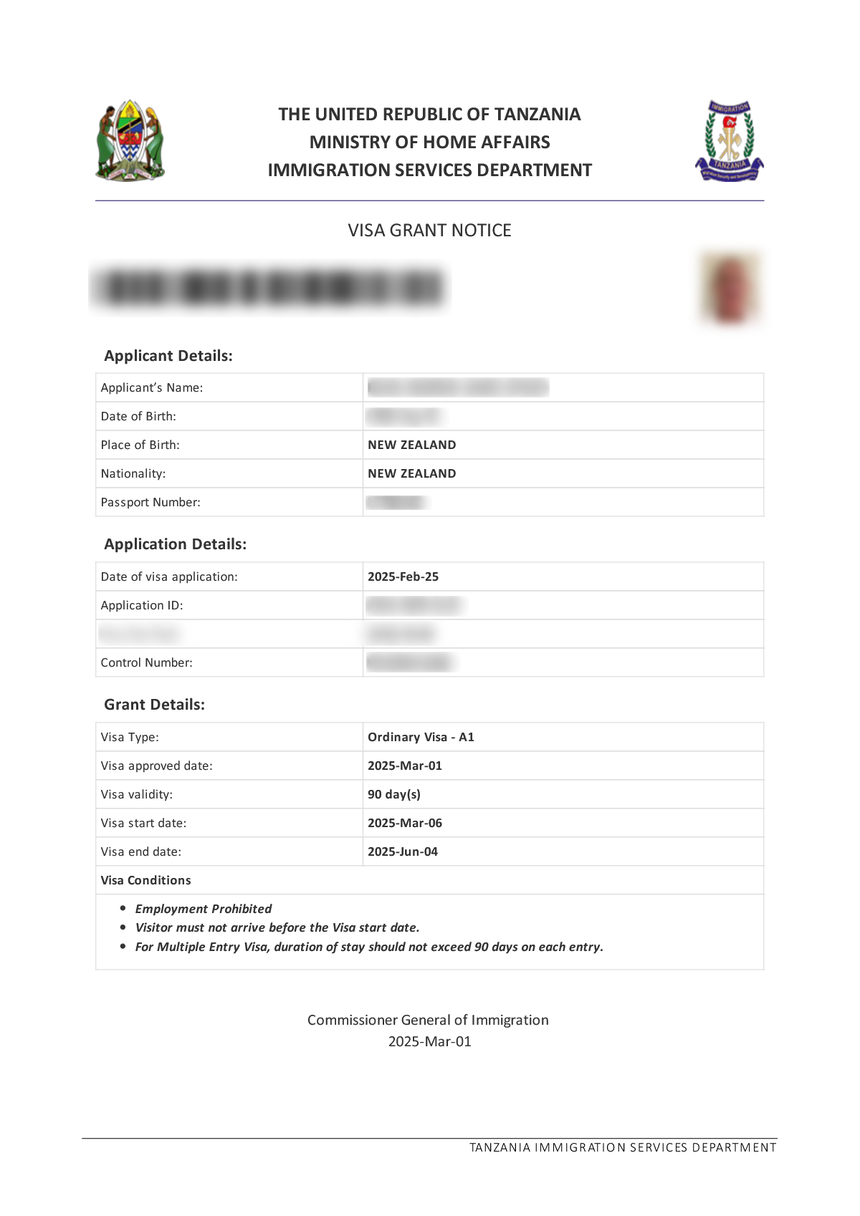
Once approved, download your Visa Grant Notice to print for the border. A Single Entry Visa is valid for 90 days. If your Tanzania e visa status is delayed beyond 10 working days or shows errors, contact immigration support directly.
How to Use Your Visa Grant Notice
Download the Visa Grant Notice PDF from the portal. You must carry a physical colour printout of this document to the border, alongside a passport with at least 6 months validity and at least 1 unused page. Download the file directly from the secure Tanzania Electronic Visa Application System or the alternative e-Services URL.
Escalating Delayed Applications
If the Tanzania eVisa application status check returns an “Application not found” error, verify the exact casing of your Application ID. If the portal returns a 502 error or is unresponsive for more than 2 hours, email [email protected] with the subject line “Portal Outage – Application ID TZV123456789”. Expect a reply within 24 hours during weekdays. When processing exceeds the standard timeframe, escalate the issue using the contact details below.
- Email: [email protected]
- Phone: +255 2850575, +255 2850576, or +255 2850569
Frequently Asked Questions About Tanzania eVisa Status Checking
Can I check my Tanzania eVisa status using only my passport number?
No, you cannot check your status using only your passport number. The e-Immigration Portal strictly requires three specific credentials: your Application ID, your registered email address, and your Security Answer. A passport number alone is not accepted as a standalone lookup field on the system.
Are Tanzania visa application fees refundable if my status is rejected?
No, the Tanzania visa application fee is strictly non-refundable. If your application status is marked as rejected, you will not receive your money back, and you will need to pay the relevant fees again if you choose to submit a new application.
Can I track a Tanzania Visa on Arrival online?
No, it is impossible to track a Visa on Arrival online. The online status check module at visa.immigration.go.tz is exclusively designed for the Electronic Visa Application System. Travellers opting for a Visa on Arrival will handle their processing entirely at the border checkpoint.
How do I fix the ‘Application not found’ error on the portal?
To resolve the ‘Application not found’ error, verify the exact casing and spacing of your Application ID. The input fields on the portal are case-sensitive. Ensure there are no accidental spaces in your ID, which typically consists of letters and numbers like TZV123456789.
What should I do if I forgot my Security Question answer?
There is no automated password reset feature for a forgotten Security Answer on the portal. You must contact the Tanzania Immigration Services directly by sending an email to [email protected] with your passport details to request assistance with recovering your access credentials.
Does a third-party agent use a different system to check my status?
No, agents use the same universal Application ID and portal.
Do I need a separate status check for Zanzibar?
No, the Tanzania eVisa covers both Mainland and Zanzibar – use the same Application ID.
Can I check my Tanzania eVisa application status on a mobile device?
Yes, you can access the portal on a mobile device. Use supported browsers like Mozilla Firefox or Google Chrome to ensure the status module loads correctly on your smartphone or tablet.