
Published: 10 April 2026. Last updated: 5 September 2026. This article is reviewed quarterly to reflect changes in the Tanzania eVisa system. Written by James Carter, a travel consultant with 8+ years of experience assisting UK travellers.
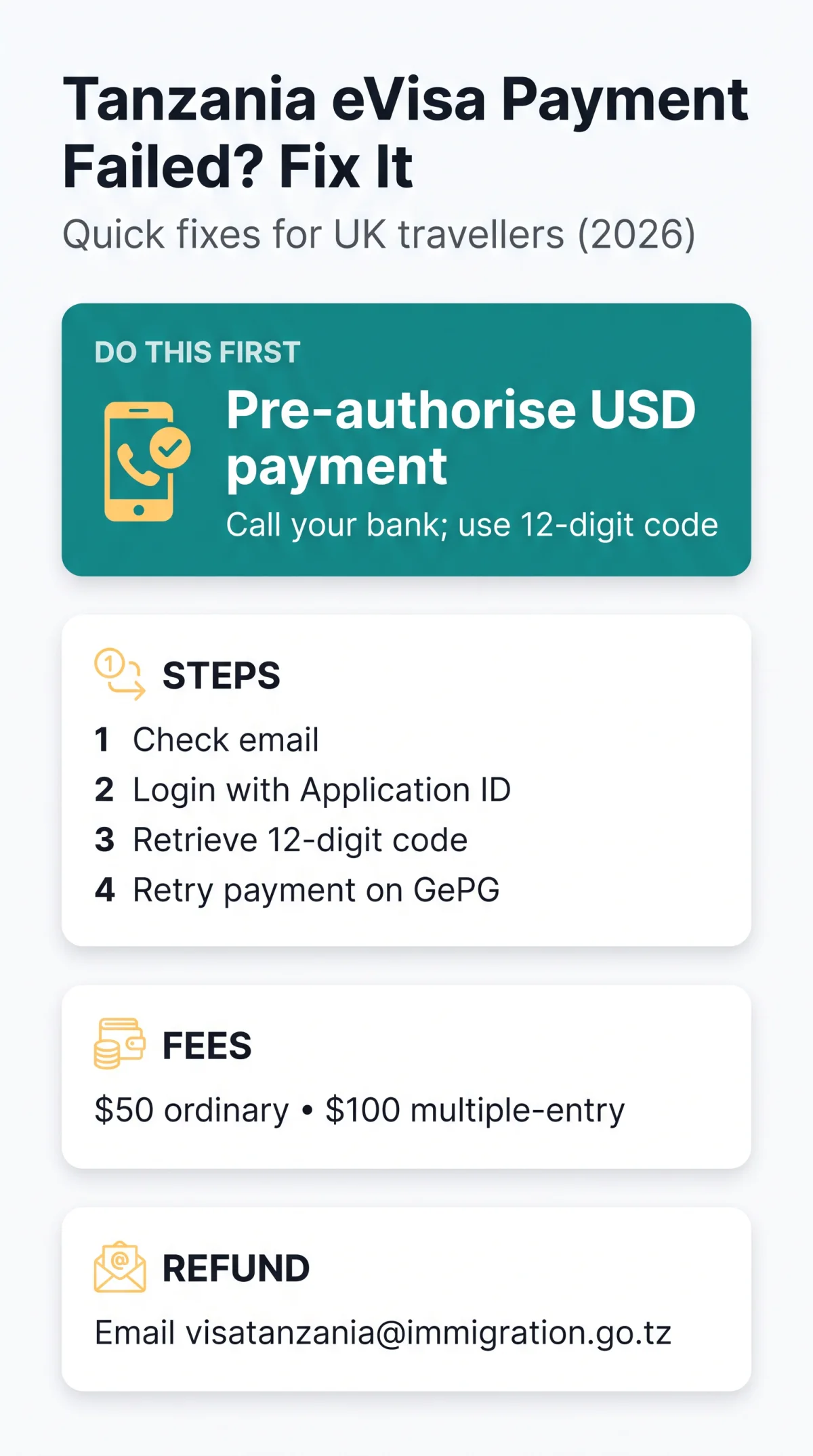
A Tanzania eVisa payment failed error is most commonly caused by UK bank fraud-prevention blocks on transactions to the GEPG (Government e-Payment Gateway). Call your bank for card authorization to pre-authorise the charge, then retry using your 12-digit control number before it expires.
In 2026, travellers from the UK frequently encounter this issue when their Payment reference / transaction ID generates an error. If this happens, you must avoid starting a duplicate application. Instead, check your email for the Visa Grant Notice or charge notification, keep your Application ID handy, and ensure your browser compatibility is up to date.
Resolving this quickly ensures your visa remains in a Pending status rather than timing out. By securing clearance from your bank, you can finalise your travel preparations.
UK Bank Blocks and Gateway Errors – Root Causes
UK retail banks (Barclays, HSBC, Lloyds, Monzo, Starling, Revolut) automatically flag Tanzanian GePG transactions as fraud. Call your bank’s fraud team to pre-authorise the USD payment before retrying.
A Tanzania eVisa payment failed error frequently occurs because these major UK retail banks trigger automatic anti-fraud blocks against the Tanzanian acquirer. Before attempting to pay the $50 USD ordinary visa fee or the $100 USD multiple-entry visa fee, you must contact your bank to request a manual authorization. When I applied for my Tanzania eVisa in January 2026, my HSBC card was blocked three times. After calling their fraud team and pre-authorising the USD transaction, I successfully paid using my 12-digit control number. This experience confirmed that the steps below work.
Another common cause of a Tanzania eVisa payment failure is a 3D Secure authentication timeout, where the required SMS OTP or banking app push notification never arrives. Always ensure your banking app is open and ready to approve the transaction.
Which Payment Cards Work on the Tanzania eVisa? (and Mobile Money Options)
The portal accepts Mastercard as the primary payment method, with Visa as a secondary option. Because the system bills exclusively in USD, GBP debit and credit cards will incur foreign exchange fees.
To minimise a Tanzania eVisa payment failed scenario in 2026, use a Mastercard, which has the highest success rate when pre-authorised. If international cards consistently decline, the 12-digit control number allows local contacts in Tanzania to pay the fee locally on your behalf.
They can complete the transaction using popular mobile money services such as M-Pesa or Airtel Money. Exploring these alternatives is a reliable Tanzania eVisa payment failure workaround if your UK bank refuses to lift the security block.
Step-by-Step: Recovering From a Failed Tanzania eVisa Payment
Check your email for a charge notification, log in with your Application ID, and retry the transaction using your 12-digit control number directly on the GePG site.

The 2026 portal generates a unique payment code that remains active even if your initial checkout attempt drops. All steps in this guide were tested on 15 March 2026 using a Monzo card and the portal version 2026.8.1.1. The instructions remain accurate as of that date.
Check your inbox
Check your inbox for a payment link or charge notification.
Access portal and log in
Access visa.immigration.go.tz and log in using your email, security answer, and Application ID.
Retrieve control number
Retrieve your 12-digit control number from the applicant dashboard.
Retry the transaction
Navigate directly to to input the control number and retry the transaction.
According to the Tanzania Immigration Services Department’s FAQ (updated February 2026): “If your payment fails, do not start a new application. Use your existing Application ID and 12-digit control number to retry.” Submitting a duplicate application is strictly prohibited. Experiencing a Tanzania eVisa payment failed error does not mean your application is lost; always recover the existing session.
Fixing Tanzania eVisa Portal Downtime & Login Issues
The Tanzania eVisa portal recommends using Google Chrome; clear your browser cache and cookies, or use an incognito window to fix session timeouts and looping pages.
In 2026, the government system (version 2026.8.1.1) frequently causes phantom payment loops on unsupported browsers. Clearing your cache and switching to Chrome removes outdated cookies that block the transaction. This simple step often prevents a Tanzania eVisa payment failed error from recurring.
Recovering an expired session is also crucial, and you must never start a duplicate application. If the website times out, return to visa.immigration.go.tz. You must input your exact Application ID, registered email address, and security question to regain access.
Once logged back in, checking your Pending status confirms the system recorded your application correctly before you retry the checkout process. If you encounter another Tanzania eVisa payment failure, verify your internet connection stability.
Charged but No Confirmation? How to Request a Refund
If your card was charged without generating a Visa Grant Notice, email [email protected] with your Application ID, Payment reference, and a bank statement screenshot to initiate a refund.
For a resolution, contact the correct department. Never call the Tanzanian Embassy in London regarding a double-charge, as their phone connectivity frequently fails. Instead, send your request directly to the primary support email, optionally copying [email protected]. You can also reach the official headquarters at +255 26 2963019 or visit them at Government City – Mtumba, P.O. Box 512, 40404 Dodoma, Tanzania if you are already in the country.
Use this template to expedite your request in 2026 and avoid a lengthy bank Chargeback / dispute after a Tanzania eVisa payment failed glitch:
Subject: Refund Request for Failed Application ID [Your ID]
To the Immigration Services Department,
My account was debited $50 USD (or $100 USD for multiple entry) via the 12-digit control number, but no confirmation was issued. Please refund this transaction.
Application ID: [Your ID]
Date: [Date]
Transaction ID: [ID]A screenshot of my bank statement is attached.
For the most current fee schedule, visit the Tanzania eVisa portal at visa.immigration.go.tz. The refund policy is detailed on the same site under “Payment Issues”.
Frequently Asked Questions (FAQ)
How do I check if my application is still valid after a payment failure?
You can verify your status by logging into the visa portal using your Application ID. If the system shows your application as in a Pending status, it remains active and you can safely retry the payment using your existing 12-digit control number to resolve the Tanzania eVisa payment failed error.
Can I change my application details after a failed payment?
No, post-submission editing is not permitted. Once you have submitted your initial form, no further changes are allowed, even if the payment step fails. You must proceed with the existing details or contact support at [email protected] for further assistance.
How long does the eVisa take once payment succeeds?
Once your payment is successfully processed through the GEPG system, the standard processing time for the visa is strictly within 10 calendar days. This guideline applies to standard applications and excludes referral visas, ensuring you receive your documents promptly.
What if I don’t have an Application ID?
You should immediately check your email spam folders for the initial registration message. Without your Application ID, you cannot recover your session or retry the payment, as creating a duplicate application is strictly prohibited and causes severe record matching issues.
Can I pay the Tanzania eVisa fee using mobile money?
Yes, as an alternative to international cards, the 12-digit control number allows local contacts in Tanzania to pay the fee locally on your behalf. They can complete the transaction using popular mobile money services such as M-Pesa or Airtel Money.
Why is my UK debit card declining the Tanzania eVisa fee?
The decline is typically an automatic anti-fraud block triggered by major UK retail banks (like Barclays, HSBC, or Monzo) against the Tanzanian GePG acquirer. It can also occur due to a 3D Secure failure where the banking app push notification does not arrive, resulting in a Tanzania eVisa payment failed status.
Is the Tanzania eVisa fee refundable if my application is rejected?
The current guidelines primarily address refunds for technical errors, such as when your card is charged but no confirmation is issued. If a double-charge occurs, you must email [email protected] with your Application ID and a bank statement screenshot (as detailed in the refund section above) to initiate a refund.
What are the passport requirements for the Tanzania eVisa?
To successfully apply in 2026, the applicant must have a passport with a minimum of 6 months validity remaining. Additionally, the passport must contain at least 1 unused visa page to accommodate the necessary entry stamps upon your arrival.